Protect
Secure, certified end-to-end email encryption
Enable secure and compliant email communication without adding friction. Make it easy for your teams, customers, and partners to work securely and prevent data leaks using encrypted email and simplified DLP policies.
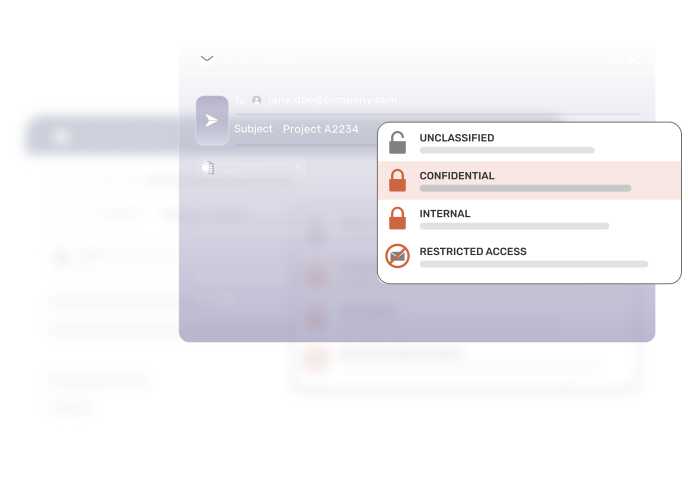
Enrich Microsoft 365
Delivering granular access controls, superior security, and an improved user/recipient experience to the most widely used email communication platform.
-
Seamless integration.Hooked into Microsoft Office 365 email via an Outlook Add-in (COM or Web), API and Integrated Cloud Email Gateway.
-
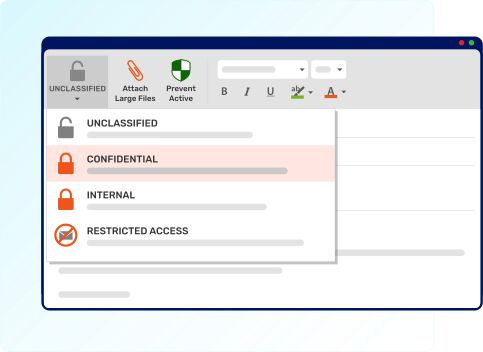
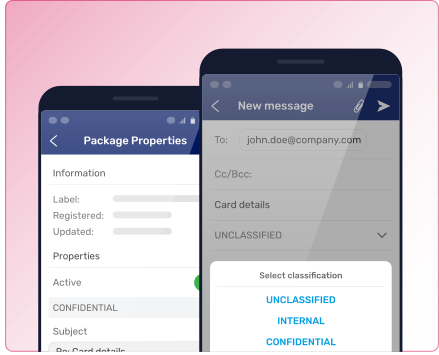
Smart data classification. Integrates directly into existing data classification tools, like Microsoft Purview Information Protection to automate encryption and access controls.
-
Account compromise protection. Since Protect is a layer away from Microsoft 365, in cases of account compromise, emails are still protected.
-
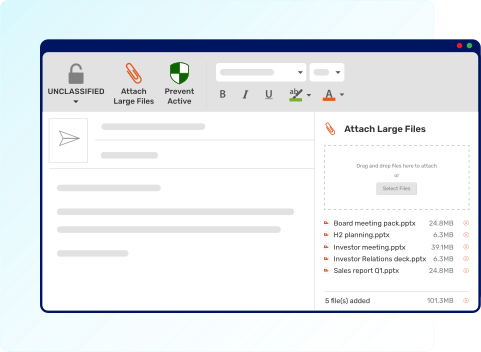
Large file transfer. Bypasses mail client file size limitations to send files securely to the cloud. All files are compressed and encrypted with 256-bit AES encryption.
-
Do more for less. With Protect, you don’t need an Office 365 E5 license to protect your data within email. By marrying Egress with an E1 or E3 license, you’re able to spend less and get more functionality.
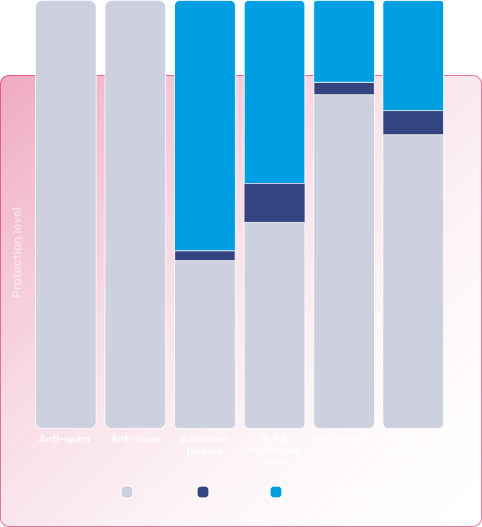
Comprehensive security and compliance
-
Fully certified. Accredited with multiple leading certifications, including Commercial Product Assurance, FIPS 140-2, and ISO 27001.
-
Strongest encryption standard. Secures mail content and attachments at rest and in-transit using 256-bit AES encryption.
-
Malware & content protection. For Large File Transfers and messages sent using the web portal (Egress Secure Message Portal), documents are scanned upon upload for malicious activity to ensure compromised accounts are not able to send weaponized attachments.
-
Secure supply chain. Build automated rules to secure content with trusted organizations and your supply chain.
-
End-to-end encryption. Encrypts mail at the gateway and the desktop securing both internal and external content.
-
Multi-factor authentication. Egress uses MFA to strengthen security and prevent unauthorized account access.
-
Automatic or sender-initiated encryption. Ensures emails are always secured based on policy, and allows users to proactively secure mail.
-
Access restrictions. In addition to securing the message, it is possible to restrict access to sensitive content including edit, copy & paste, and downloading of local copies.
Reduce user friction
-
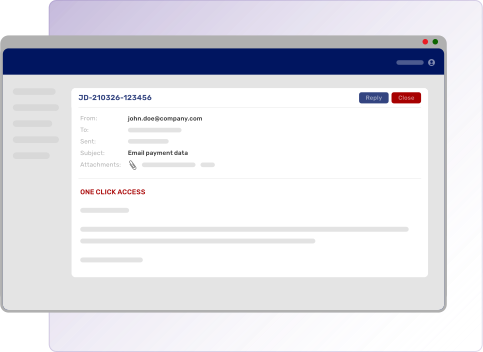
Flexible authentication. Recipients can use their Egress credentials, shared secret, one-click access, biometrics (fingerprint or face ID) or their Microsoft/Google IDs to access secure messages.
-
Machine learning. Protect uses machine learning to assess a recipient’s profile (domain, location, and IT system information) to build a level of trust, enabling trusted recipients to seamlessly access sensitive content without the needing to log in.
-
User empowerment. Protect empowers the user to control their own data access, which helps remove administrative burden.
-
Policy override. Users can override policy controls to select the appropriate level of security.
-
Stay in control. Users can revoke and manage access to their secure email in real-time after send, and can place restrictions on the time and geolocation to provide extended control over sensitive data.
-
Granular message controls. Users can restrict the recipient’s ability to save, copy/paste, forward, or print emails and attachments.
-
Anywhere access. Secure emails can be sent, received, and managed from Outlook, OWA, or the mobile app for users on-the-go.
Protect reporting
It’s endlessly important to secure your most sensitive data when communicating via email, and having visibility into who exactly is sending and receiving this information is equally as critical to ensuring your data and organization are safe.
-
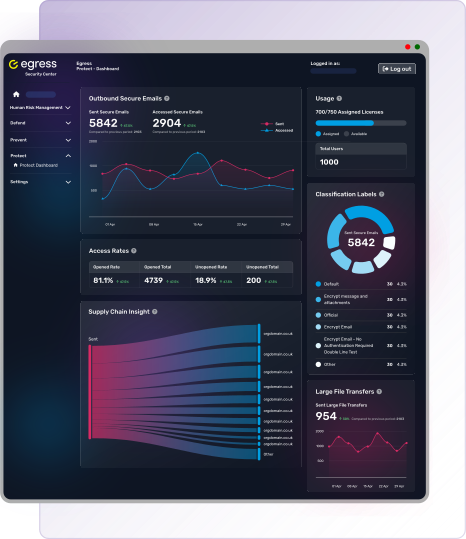
Security visibility. See who your users are sending your most sensitive information to, how frequently, and whether or not it’s being accessed.
-
Supply chain insight. Discover the top 10 domains your organization is securely communicating with so you can quickly gauge your supply chain risk.
-
Usage and adoption breakdown. Easily manage your Protect deployment with an at-a-glance view into usage and adoption rates, helping you better enforce secure messaging where absolutely vital.
-
Classification labels. View the top 5 classification labels your organization uses most when sending secure emails to ensure you have the right encryption for your needs.
For the administrators
Protect is all about making your life easier as an administrator and empowering the user to take action into their own hands. Less for you to do means more time to focus on strategic initiatives.
-
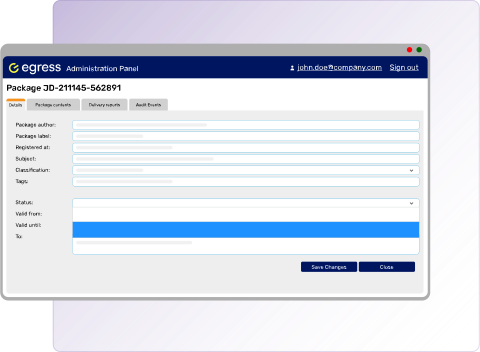
Audit reports. Allows security administrators and senders to track access and events relating to messages sent for investigative and compliance purposes.
-
Flexible deployment options. Protect integrates easily with your environment whether it is fully cloud-based, hybrid, or on-premises, and can be deployed without an Integrated Cloud Email Gateway.
-
Rapid user onboarding. Get users onboarded in less than a minute when you hook Protect up to your Active Directory.
-
Single Sign-on. Support for Azure AD, ADFS and compliant SAML SSO providers.
-
Dedicated support. On the rare occasion support is needed, both admins and recipients have access to 24/7 hands-on support teams.
Additional features
-
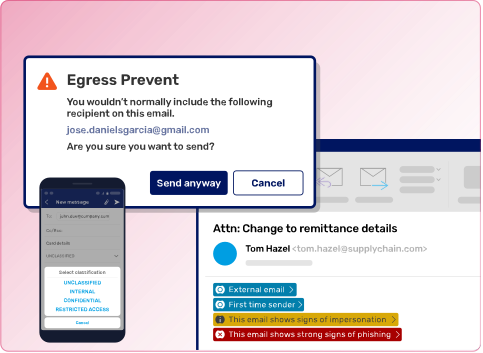
Integrated security platform. Mitigate against inbound and outbound user risk by deploying Defend and Prevent alongside Protect.
-
Better together. When combined with Prevent, Protect can trigger automatic encryption and user prompts based on contextual machine learning of the recipients and content.
-
Free for recipients. Recipients of secure messages are able to use Protect for free, including sending messages back to the sender, and sending net new messages to whomever they need.